









مركز نظام مايكروسوفت

أتمتة ذكية وإدارة مرنة لبنيتك التحتية التقنية

مع حلول System Center من مايكروسوفت، ستتمكن من إدارة الأنظمة، تأمين البنية التحتية، وأتمتة العمليات التقنية من مكان واحد – بكل كفاءة وسرعة.

عملائنا

نفتخر بثقة العديد من الجهات الرائدة في المملكة في قدراتنا التقنية وخبراتنا المحلية الممتدة

إدارة الأجهزة مع SCCM

حل متكامل يمنحك تحكمًا كاملاً في الأجهزة داخل المؤسسة، مع أتمتة مستمرة وامتثال أمني قوي. 

التحكم بالأجهزة عن بُعد

إدارة الأنظمة وتوزيع التطبيقات وتحديث الأنظمة التشغيلية من أي مكان.

إدارة التحديثات والرقع الأمنية

ربط مباشر مع WSUS لرصد وتنزيل التحديثات اللازمة بشكل آلي.

تحديثات مجدولة تلقائيًا

جدولة تحديثات البرمجيات لتعمل بشكل دوري دون تدخل يدوي.

الامتثال الأمني

إدارة سياسات مكافحة البرمجيات الضارة وجدران الحماية وفق أعلى المعايير.

إدارة الأجهزة الافتراضية مع VMM

أنشئ، تحكم، ووسّع بيئة الأجهزة الافتراضية بسهولة وسرعة.

إعداد سريع للخوادم الافتراضية

نشر الخوادم الجديدة عند الحاجة بكفاءة عالية.

تحويل سريع من فعلي إلى افتراضي

تحويل الأجهزة دون توقف أو تعطل.

واجهة بسيطة مع PowerShell

أتمتة الإجراءات بدون الحاجة لبرمجة معقدة.

مكتبة مركزية للمكونات الافتراضية

حفظ وإدارة الملفات الافتراضية بشكل منظم وفعّال.

System Center Service Manager

حل شامل لأتمتة الطلبات وإدارة المشاكل وتقديم الدعم الذاتي للمستخدمين.

blank


  • ربط مع Operations Manager وOrchestrator 
    تنفيذ تلقائي للمهام عند حدوث تنبيهات أو حوادث في النظام. 
  • بوابة خدمات ذاتية 
    ربط مباشر مع SCCM وActive Directory لتوفير خدمات ذاتية وتقليل الضغط على فريق الدعم. 
  • تقارير تحليلية دقيقة 
    تقارير دورية تساعدك على تقييم أداء قسم تقنية المعلومات وتحسينه باستمرار. 

Orchestrator

دقة أعلى

تقليل التدخل اليدوي يُخفّض نسبة الأخطاء ويعزز جودة التنفيذ.

اتساق في الإجراءات

ضمان تنفيذ العمليات التقنية وفق معايير موحدة في جميع الأنظمة.

تبسيط سير العمل المعقد

ربط الأنظمة والأدوات المختلفة من خلال مخططات تشغيل مرئية سهلة الإدارة.

كفاءة تشغيلية أعلى

أتمتة المهام المتكررة لتوفير الوقت وتقليل الجهد وزيادة الإنتاجية.

blank

لماذا رقميات؟

blank

مزود تقني شامل

من الحوسبة السحابية إلى الأمن السيبراني، وERP، وحلول البرمجيات المخصصة.

blank

أكثر من 22 عامًا في السوق السعودي

نفخر بسجل حافل في تقديم الحلول لمختلف القطاعات.

blank

دعم ثنائي اللغة

فريق تقني وخدمة عملاء باللغة العربية والإنجليزية.

blank

ثقة الجهات الحكومية

شريك موثوق في تنفيذ المشاريع التقنية الوطنية واسعة النطاق.
قصص نجاح

نتائج حقيقية مع شركائنا من الجهات الرائدة

blank

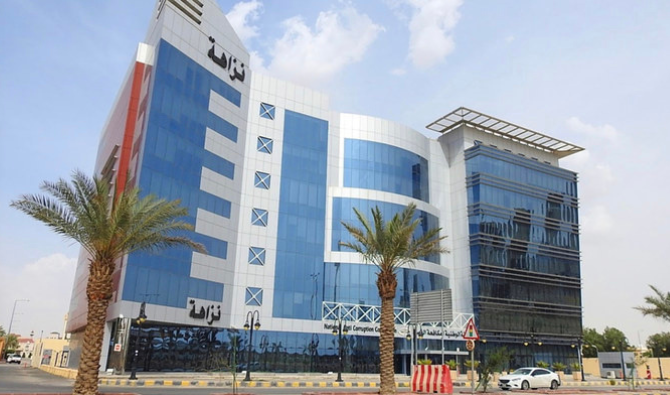
نزاهة

• اتفاقية مستوى خدمة (SLA).
• فحص شامل ربع سنوي.
• دعم عن بعد.
blank

وزارة الثقافة السعودية

• برنامج أودو المحاسبي.
• الاستضافة السحابية من هواوي.
• إدارة المواقع الإلكترونية.
blank

إنسان

• نقل إلى سحابة هواوي المحلية.
• بنية تحتية مؤمّنة بـ WAF وVPN.
• خفض التكاليف مع تشغيل متواصل 24/7.

احصل على خدماتنا الاستشارية

تواصل مع أحد خبرائنا وحقق أفضل النتائج:

Microsoft System Center is a suite of software solutions that facilitates the management of organizations’ servers, systems, and applications. It includes main five components which are System Center Configuration Manager (SCCM), Virtual Machine Manager(VMM), Service Manager (SCSM), Operations Manager (SCOM), Data Protection Manager (DPM), and Orchestrator.
Virtual Machines being created, managed, and controlled by Virtual Machine Manager
blank
Microsoft System Center

Virtual Machine Manager (VMM)

With Virtual Machine Manager, you can create, manage and control your virtual machines. It can also support other virtualization environments and platforms in your organization.
Why should you use Virtual Machine Manager in your business?
With the P2V conversion feature, you can quickly convert physical machines to virtual machines without any problems. You don’t even have to stop working on physical servers during the conversion process.
provide your IT infrastructure quickly with new servers needed for business requirements with a speedy creation of virtual machines.
There is no need to be a software developer to deal with Virtual Machine Manager, as it depends on Windows PowerShell that facilitates adding scripts and commands to automate operations.
Do you need to facilitate tracking deployment and performance of your large virtual environment? Virtual Machine Manager provides a centralized library to store virtual components in a well-structured format, so you can easily identify and reuse them, enhancing productivity and responding quickly to any problems.
blank
Microsoft System Center

Service Manager

Is an integrated platform that provides automation, service request fulfillment, and problem management.

Some of Service Manager Functions
circle12
specific tasks automatically run when a specific incident is reported to solve any problem

You can integrate the Service Manager with the Operations Manager and Orchestrator to identify specific tasks to automatically run if a specific incident is reported by the Operations Manager

IT Reports and analytics being provided by Microsoft System Center Service Manager for consistent insights

Service Manager provides you with reports and analyses that help you have consistent insights into how the IT department functions.

Employees request services and get them done automatically

Integrated with SCCM and Active Directory, Service Manager allows you to use the self-service portal, so you can request services and get them automatically done, saving costs of help desk support and time-consuming.

circle13
Microsoft System Center

Operations Manager (SCOM)

Operations Manager is Microsoft’s software solution that provides the IT environment, on-premises, and cloud-based systems, with one single solution to monitor infrastructure resources, workloads, and applications.

The monitoring Process is done via Management packs that define how to monitor a service through various parts such as
Track the state of different parts in a managed component

track performance and send alerts.

provides textual advice to help the IT department to fix the problem.
provides a centralized dashboard that visualizes the performance, availability, and health of the IT environment components.

The operations Manager also provides proactive monitoring to inform IT of any potential problems in the business applications, services, and their causes.

Infrastructure devices, workloads, and applications being monitored by Operations Manager (SCOM)
circle10
Business data stored on the cloud or servers is backed up by Data Protection Manager (DPM)
blank
blank
dot6
Microsoft System Center

Data Protection Manager (DPM)

Data is the most valuable factor for business continuity and growth, so you always need to keep your business data safe and recoverable.
As an enterprise backup and disaster recovery system, Data Protection Manager can back up your data and keep your business workloads and application always available.
The monitoring Process is done via Management packs that define how to monitor a service through various parts such as
blank

Automatic updates to your agreement as you add products

blank

Window Desktops and Laptops

Where can you store backup data?
blank

On Disk: for short term storage

blank

On Azure: For both short term and long-term storage

blank

On Tape For long-term Storage

Orchestrator

Microsoft System Center Orchestrator is a workflow automation software. It enables you to automate processes, tying tasks and procedures together with graphical user interface runbooks and PowerShell native scripts.

How can this help you?

It helps your IT department focus more on bigger tasks and work that adds business value.
It decreases error-prone practices and improves operational efficiency.
IT Processes are automated by Microsoft System Center Orchestrator
Microsoft System Center

Configuration Manager (SCCM)

Microsoft System Center Configuration Manager (now renamed as Endpoint Configuration Manager) performs as a single tool and one place to manage your IT infrastructure saving time of checking each device individually and freeing up your IT solutions from manual tasks to focus on more important tasks.
How can Configuration Manager support you’re your Business?
Configuration Manager remotely controls devices to ensure their functionality

Configuration Manager helps the IT department remotely control devices, ensuring their functionality and deploying needed applications and operating systems

configuration manager checks for any needed updates

Integrated with Microsoft WSUS, SCCM checks for any needed updates to deploy patches to devices.

IT department schedules software updates

IT department can schedule software updates to automatically run on a periodic basis.

Configuration manager protects your data from security threats

SCCM enhances your business security compliance, managing anti-malware policies, and firewall settings.

Get our Consulting Services

blank
blank
triangle1
Get in Touch

we provide best services Need Help?

circle1